Best Chairs for Posture Improvement at Home: How to Sit Better Every Day
Discover the best chairs for posture improvement at home. Learn which features matter, which chair types to choose, and how to set up your seating for a healthier spine, less pain, and more comfort every day.
Spending long hours sitting at home can quietly damage your posture, leading to back pain, neck tension, and reduced energy. The right chair, combined with good habits, can transform how your body feels by keeping your spine aligned and your muscles properly supported.
Why Posture Matters at Home
When working, studying, or relaxing at home, it is easy to slouch into a sofa or sit at the kitchen table in a chair that was never designed for long-term use. Over time, this can cause the spine to round forward, the shoulders to roll in, and the neck to crane toward screens. These small changes in alignment increase strain on the lower back, upper back, and hips.
Improving posture at home means supporting the natural S-curve of the spine. A good posture chair helps distribute body weight evenly, keeps joints in a neutral position, and reduces the effort your muscles need to maintain an upright stance. This can minimize pain, improve breathing, and even boost concentration and productivity.
Key Features of a Posture-Friendly Chair
Not every chair marketed as “ergonomic” will automatically improve posture. It is important to know which features genuinely support spinal alignment and which are just marketing buzzwords. Focusing on adjustability, support, and overall comfort ensures your chair can be tailored to your body and daily tasks.
Below are the most important elements to look for when choosing a chair for posture improvement at home.
Adjustable Seat Height
The seat height should allow your feet to rest flat on the floor with your knees at roughly hip height or slightly below. An adjustable gas lift is ideal, especially if multiple people share the same chair. When the height is correct, pressure on the thighs is reduced and your lower back is more likely to stay in a neutral, supported position.
If the seat is too high, you will tend to dangle your feet or slide forward, which collapses the lower back. If it is too low, the hips sink below the knees, tipping the pelvis backward and encouraging slouching. A chair that can easily be raised or lowered helps you maintain a consistent, healthy sitting position at different desks and tables.
Lumbar Support
Good lumbar support is one of the most important elements of a posture-improving chair. The lower back naturally curves inward; without support, that curve can flatten and eventually reverse, stressing discs and ligaments. A proper lumbar support fills the space between your lower spine and the backrest, encouraging a gentle inward curve instead of a rounded back.
Look for a backrest with either a built-in curve or an adjustable lumbar pad that you can move up and down. Chairs that let you fine-tune the depth or firmness of the lumbar area are especially useful if you often experience lower back discomfort or if several people with different body shapes use the same chair.
Seat Depth and Width
The depth of the seat influences how well your thighs are supported and how comfortably your back can rest against the backrest. Ideally, when you sit all the way back, there should be a small gap between the edge of the seat and the back of your knees, usually about the width of two to three fingers. This prevents pressure on the back of the legs and allows healthy blood circulation.
An adjustable seat depth helps you get that gap regardless of your height, while a seat that is too long will push you to slouch forward. Width also matters: the seat should be wide enough to sit comfortably without pinching the hips, but not so wide that armrests become unreachable or the backrest support is misaligned.
Backrest Height and Recline
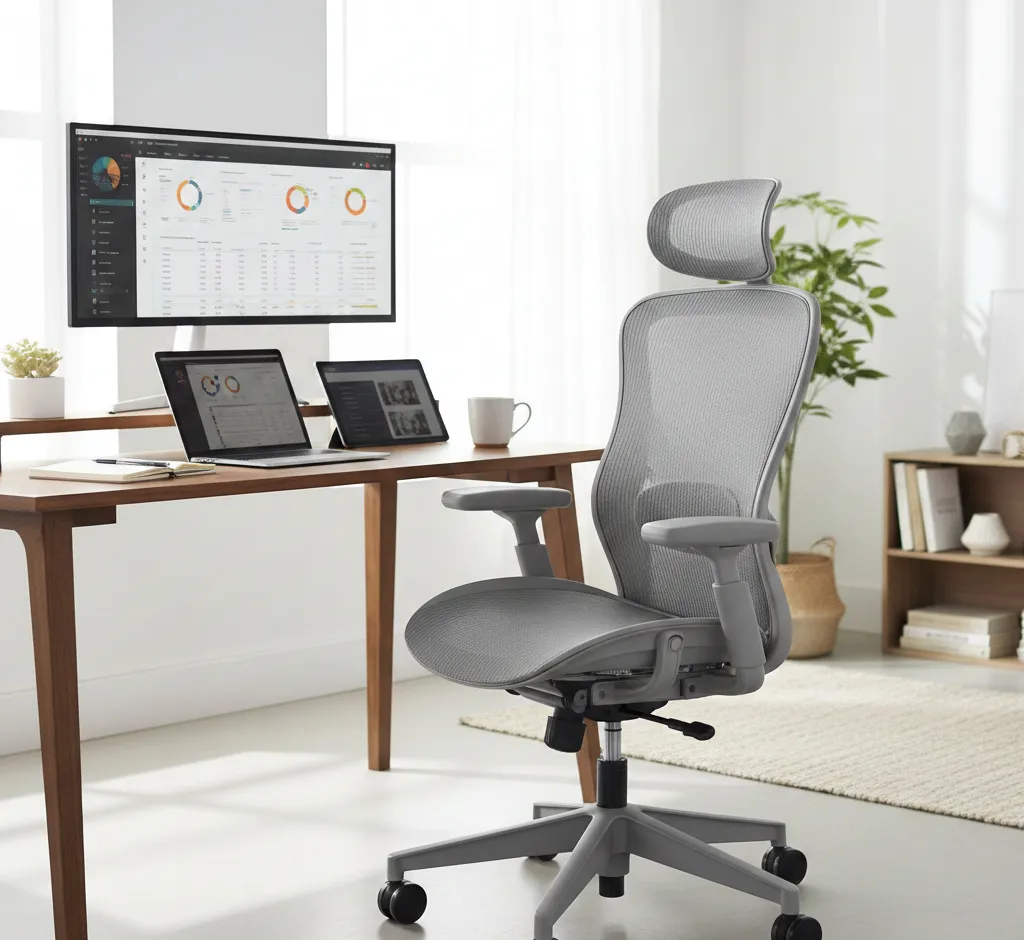
A supportive backrest should reach at least the middle of your shoulder blades, and for many people, a taller backrest with headrest is even better. The backrest should follow the natural shape of your spine rather than being completely flat. This helps maintain a neutral posture from the pelvis up through the shoulders and neck.
Recline is another key factor. A slight recline of around 90–110 degrees encourages movement and reduces constant pressure on spinal discs. A lockable recline or tension control lets you lean back without collapsing into a slouch. Dynamic reclining, where the backrest moves with you, promotes subtle movement that keeps muscles from stiffening.
Armrests and Shoulder Alignment
Armrests can either support good posture or encourage poor habits depending on their height and position. Ideally, they should be adjustable up and down, and sometimes in width and depth, so your elbows can rest at about a 90-degree angle with your shoulders relaxed and not hunched up.
When armrests are too high, shoulders creep upward, creating tension in the neck and upper back. When they are too low or too far apart, you may lean to one side or collapse through your chest. Supportive, adjustable armrests help keep the upper body balanced and centered over the pelvis.
Breathable Materials and Cushioning
Comfort contributes indirectly to posture because discomfort often drives people to slouch, twist, or perch awkwardly. A posture-friendly chair usually has a breathable backrest material, such as mesh, to reduce heat buildup during long sitting periods. Cooler seating helps you stay in a stable, aligned position longer.
The seat cushion should be firm enough to prevent sinking yet soft enough to distribute pressure. High-density foam or well-designed cushioning can prevent “bottoming out” while maintaining consistent support. Overly soft cushions may feel pleasant at first but often allow the pelvis to tilt backward, encouraging a rounded lower back.
Types of Chairs That Improve Posture at Home
Different chair types support posture in different ways, and the best choice depends on how you use your space. Many people benefit from owning more than one style—for example, an ergonomic office chair for focused work and an active sitting stool for short sessions or standing-desk setups.
Below are the main categories of chairs that can improve posture at home and how to use each type effectively.
Ergonomic Office Chairs
Ergonomic office chairs are often the most versatile option for posture improvement, especially if you work from home or spend a lot of time at a desk. They usually offer multiple adjustment points, including seat height, depth, lumbar position, backrest tilt, and armrests. This allows you to fit the chair to your body rather than forcing your body to adapt to a rigid seat.
When selecting an ergonomic office chair, prioritize models that clearly specify their adjustability features and weight range. Chairs designed for long-term use will emphasize lumbar support and durable mechanisms. Once you set up the chair correctly, you can maintain an upright, neutral posture without constant effort, making it easier to work for hours while protecting your spine.
Kneeling Chairs
Kneeling chairs position the thighs at a downward angle, with part of your body weight supported by padded knee or shin rests. This posture encourages the pelvis to tilt slightly forward and helps maintain a natural curve in the lower back. Many people find that kneeling chairs reduce slouching and can ease lower back discomfort during shorter work or reading sessions.
However, kneeling chairs are usually best used as a complement to a traditional ergonomic chair rather than a full-time solution. They may place extra pressure on the knees if used all day, and some people need time to adapt to the different posture. Adjustable height and angle are important to ensure the body does not lean too far forward, which could strain the hips or ankles.
Active Sitting Stools and Balance Chairs
Active sitting stools, wobble chairs, and balance ball chairs introduce controlled instability so your body makes small, continuous adjustments. This micro-movement can engage core and back muscles, helping you avoid the stiffness that comes from remaining in a fixed position for long periods. These chairs often pair well with standing desks or high tables.
When choosing an active sitting chair, look for a stable base that prevents tipping while still allowing a reasonable range of motion. Height adjustability is also crucial so your hips remain slightly above your knees, with your spine stacked naturally over your pelvis. Active sitting is most effective in shorter bursts throughout the day, alternating with more supportive seating.
High-Back Armchairs for Relaxation
Posture matters even when you are relaxing, watching TV, or reading in the living room. A supportive high-back armchair can promote better posture than a deep, soft sofa that encourages slumping. Look for chairs with a firm seat, a tall back that supports the head and upper back, and cushioning that follows the contours of your spine rather than allowing you to sink in unevenly.
Position your feet flat on the floor or on a stable footrest rather than tucking them under you. Keeping the hips slightly higher than or level with the knees helps maintain a neutral lower back. With the right armchair and habits, you can rest comfortably without reinforcing unhealthy positions.
Dining and Multifunctional Chairs
Many people at home use dining chairs for temporary workspaces. While most dining chairs are not fully ergonomic, some options are much better than others for posture. Chairs with a slightly curved, supportive backrest and a seat height that matches your table help you sit upright without strain. Avoid seats that are too deep, excessively soft, or heavily sloped backward.
If you often work at the dining table, consider adding a separate posture cushion or a portable lumbar support to a sturdy chair. This hybrid approach allows you to improve posture without replacing your current furniture, especially in smaller spaces or multipurpose rooms.
How to Set Up Your Chair for Optimal Posture
Even the best posture-friendly chair will not work properly if it is not adjusted to your body and workspace. Taking a few minutes to set everything up can dramatically improve comfort and help you maintain healthy habits. Aim to adjust your chair together with your desk height, monitor position, and keyboard placement.
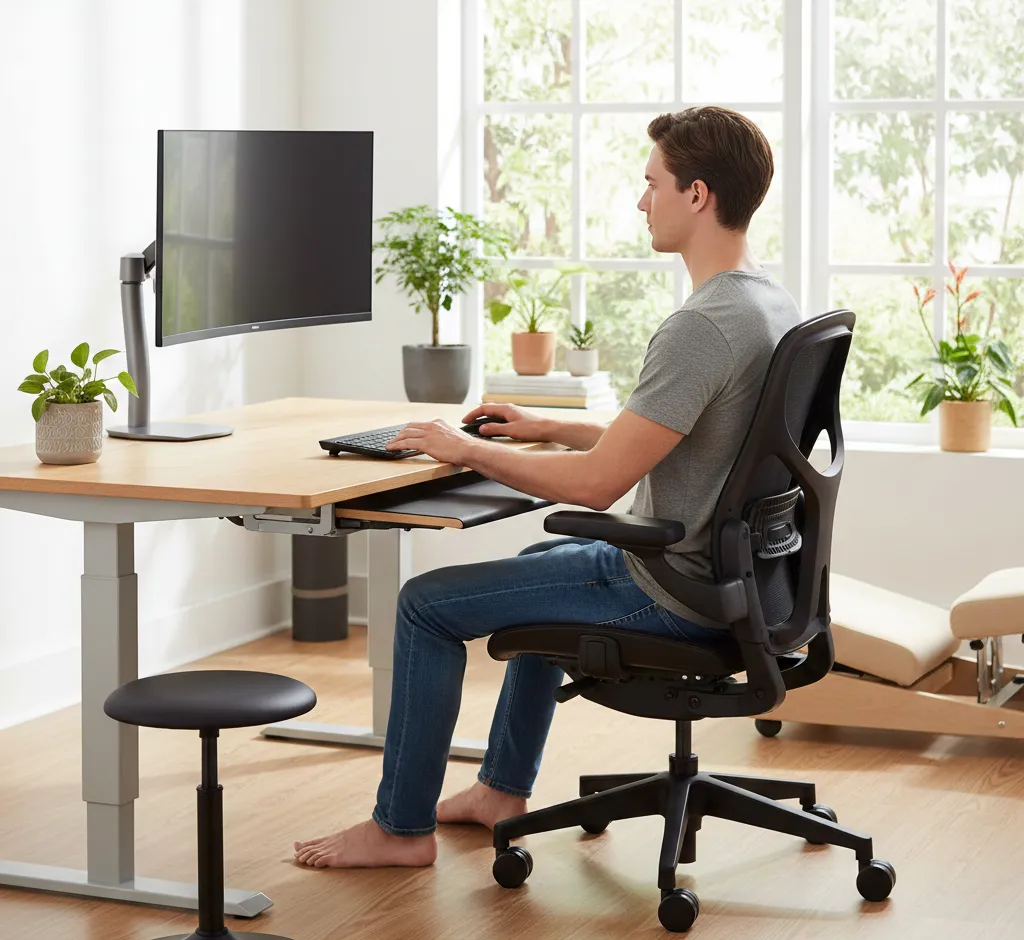
The goal is to keep your joints in neutral positions: shoulders relaxed, elbows near 90 degrees, wrists straight, hips slightly open, and feet well supported. Follow the steps below as a simple setup checklist.
Step 1: Adjust Seat Height
Start by raising or lowering the seat so your feet rest flat on the floor and your knees are approximately level with or slightly lower than your hips. If your desk is high and you must raise the chair significantly, use a stable footrest so your feet do not dangle. Proper leg support reduces pressure on the thighs and helps keep your pelvis in a neutral position.
Check that you can slide your chair under the desk comfortably without compressing your thighs. Having enough clearance ensures you can sit close to your work without leaning forward, which would otherwise encourage rounding through the lower and upper back.
Step 2: Set Seat Depth
If your chair allows seat depth adjustment, sit all the way back against the backrest and then slide the seat until a small gap remains between the front edge and the back of your knees. This prevents circulation problems and avoids pressure points. The thighs should feel fully supported along most of their length.
If the seat is not adjustable and feels too deep, you can place a firm cushion or lumbar support behind your lower back to effectively reduce the depth. The aim is always to enable contact with the backrest while keeping the knees comfortably free.
Step 3: Fine-Tune Backrest and Lumbar Support
Adjust the backrest height so the lumbar curve of the backrest or lumbar pad sits snugly in the small of your back. You should feel gentle support encouraging your spine into its natural inward curve rather than pushing too aggressively. If your chair has adjustable lumbar depth or firmness, experiment until you feel supported without discomfort.
Next, set the recline angle or tension. A slight recline, where your torso is just behind vertical, usually feels best for long periods. Allow the backrest to move with you if possible, but avoid reclining so far that you have to push your head forward to see the screen. Your ears should stay roughly aligned over your shoulders.
Step 4: Position Armrests
Raise or lower the armrests so your shoulders relax naturally and your elbows rest at or near a 90-degree angle when your hands are on the keyboard or in your lap. If armrests prevent you from pulling the chair close enough to the desk, consider lowering them or using a chair with inward-outward adjustable arms.
Armrests should support your arms lightly rather than carrying your full weight. If you feel your shoulders lifting or your upper back tensing, they are likely too high. If your elbows dangle without contact, they may be too low, which can pull your shoulders forward and strain your neck.
Step 5: Align with Desk and Screen
With your chair set, adjust your desk and screen setup as much as possible. Your keyboard and mouse should be close enough that you do not have to reach forward, keeping your elbows near your sides. This helps maintain a stable shoulder and upper-back position. Keep your wrists straight, using a slight negative tilt on the keyboard tray if available.
Raise your monitor so the top of the screen is roughly at or just below eye level. When you look straight ahead, your gaze should naturally land in the upper third of the screen. This reduces the urge to crane your neck downward or lean forward, both of which undermine even the best chair adjustments.
Daily Habits That Support Better Posture
Even with a carefully chosen, well-adjusted posture chair, remaining perfectly still for hours is not ideal. Your body is designed to move, and regular position changes help protect muscles, joints, and circulation. Combining a good chair with healthy habits amplifies the long-term benefits.
Simple routines throughout your day can help you maintain better alignment and avoid returning to old slouching patterns.
Take Movement Breaks
Set a reminder every 30–60 minutes to briefly stand, stretch, or walk. These short breaks can be as simple as rolling your shoulders, gently extending your spine, or taking a quick trip to another room. Movement helps reset your posture when you sit back down and reduces the strain of static loading on your spine.
If you have an active sitting stool or standing desk, consider rotating between positions over the course of the day. Alternating between sitting in an ergonomic chair, using a balance stool, and standing encourages more varied muscle use and less stiffness.
Engage Core and Back Muscles
Your chair can support you, but your muscles still play a crucial role in maintaining posture. Light core and back strengthening exercises—such as gentle planks, bridges, or bird-dog movements—can make it easier to sit upright comfortably. Stronger muscles fatigue less quickly, meaning you rely less on passive slouching positions.
Even while seated, you can practice brief “posture resets” by aligning your hips, stacking your ribcage over your pelvis, rolling your shoulders back and down, and gently tucking your chin. Holding this position for a few breaths throughout the day trains your body to recognize what good alignment feels like.
Use Your Chair Consistently
Posture improves with repetition. If you only use an ergonomic chair occasionally but spend most of your time on a sagging sofa or bed, progress will be limited. Try to make your posture-friendly chair the default for any activity involving screens, reading, or desk work at home.
Over time, your body will adapt to the supported, neutral position as the new normal. Small, steady changes in how you sit—combined with the right chair—can reduce pain, increase comfort, and help you feel more energized throughout the day.