How to Choose the Perfect Chair for Freelancers: Ergonomic, Practical, and Budget-Friendly Guide
Learn how to choose the perfect ergonomic chair for freelancers. Discover essential features, budget tips, and practical advice to build a comfortable, productive home office.
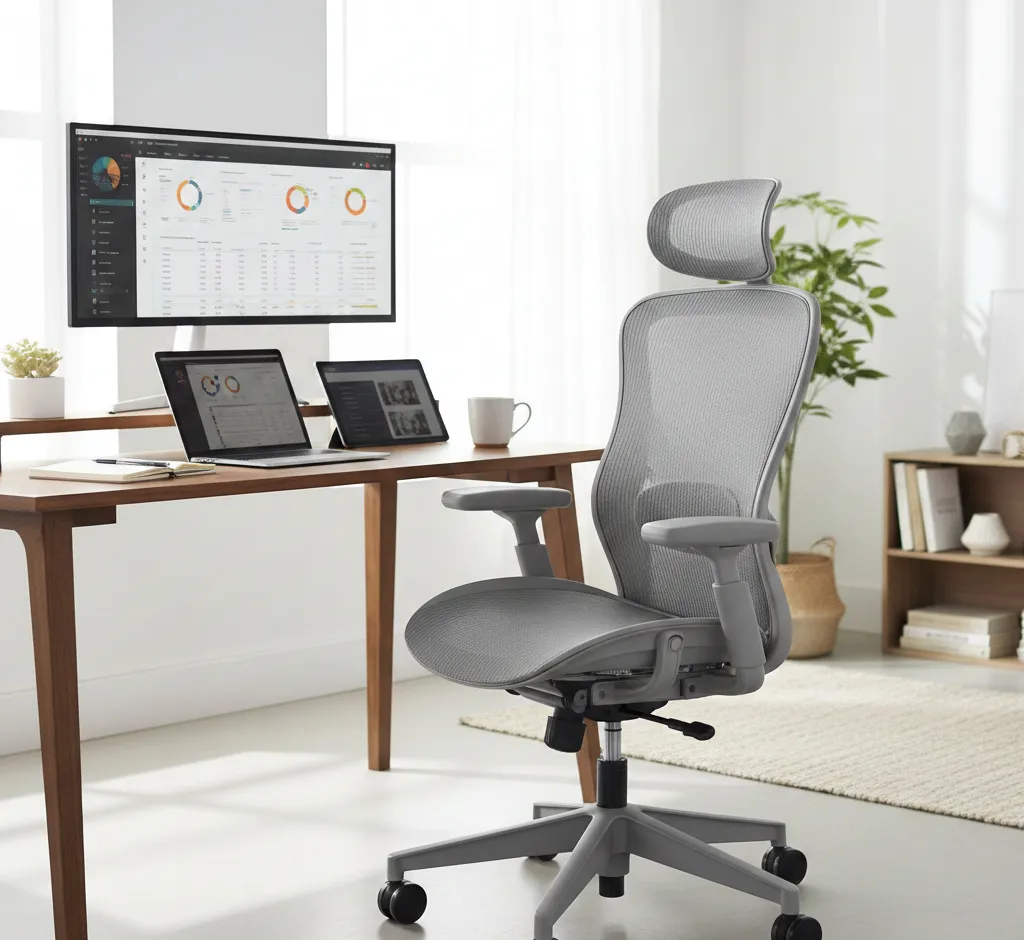
Choosing the right chair is one of the most important decisions a freelancer can make when setting up a productive and healthy workspace. The right seat protects your back, supports long hours of deep work, and helps you stay focused instead of constantly shifting to get comfortable. A poor chair, on the other hand, can quietly drain your energy and contribute to chronic pain that hurts both your health and your business.
Why Freelancers Need a Different Kind of Chair
Freelancers typically work in highly flexible and sometimes improvised environments: home offices, co-working spaces, cafés, or even temporary setups while traveling. This means a chair must not only be comfortable but also adaptable, portable, and suitable for different desk heights and room layouts. Unlike traditional employees, freelancers are fully responsible for their own ergonomics, so a thoughtful choice is essential.
On top of that, many freelancers spend more uninterrupted hours at a desk than office employees, making sustained comfort a top priority. When you rely on your body and brain to generate income, your chair becomes a core business tool rather than just another piece of furniture.
Step 1: Analyze Your Work Habits
Before looking at chair models, take a moment to understand how you actually work. This will help you narrow down features and avoid overpaying for functions you do not need.
- Daily sitting time: Estimate how many hours you spend seated during a typical workday. If you regularly exceed 6–8 hours, invest in stronger ergonomic features instead of purely aesthetic designs.
- Work style: Do you mainly type and design at a desk, take frequent calls, or switch between laptop, tablet, and notebook? Different tasks may require more freedom of movement, adjustable armrests, or better recline.
- Workspace flexibility: If you move your setup often or share a desk, choose a chair with simple, intuitive adjustments that can be quickly customized to different positions or users.
Step 2: Understand the Basics of Ergonomics
An ergonomic chair is designed to support the natural curves of your body and keep you in a healthy posture for long stretches of time. For freelancers, this is crucial because the chair effectively becomes a “second spine” that either supports or strains the body.
When sitting, your feet should rest flat on the floor, your knees roughly at hip level, and your back supported along its full length. A good chair makes it easy to maintain this neutral position without constant effort, letting you concentrate on client work instead of body discomfort.
Key Features to Look for in a Freelance Chair
Once you understand your working style and ergonomic needs, it is time to look at specific chair features. Even if you shop online, reviewing these points will help you read product descriptions more critically and compare options fairly.
Adjustable Seat Height
Seat height is one of the most important adjustments because it determines how your body aligns with the desk and keyboard. Ideally, when your arms rest on the desk, your elbows should form roughly a right angle, with your shoulders relaxed and not hunched up.
Gas-lift mechanisms that adjust smoothly and quickly are ideal for freelancers who might change desks or positions during the day. If you are particularly short or tall, verify the minimum and maximum seat height in the product specifications instead of assuming all chairs will fit.
Seat Depth and Width
Seat depth affects how well your thighs are supported. When seated all the way back, you should have a small gap between the front edge of the seat and the back of your knees. If the seat is too long, it can press into your legs and reduce circulation; if it is too short, it provides insufficient support.
Seat width should allow you to sit comfortably without feeling squeezed, while still being narrow enough that the armrests can support your arms close to your body. Freelancers who like to occasionally sit cross-legged or change positions may appreciate a slightly wider seat.
Lumbar Support
The lumbar region of your lower back naturally curves inward, and prolonged slouching can flatten or reverse this curve, leading to strain and pain. A good chair offers built-in lumbar support that follows this shape and encourages you to sit upright.
For best results, look for chairs with adjustable lumbar height or depth so you can align the support with your own spine. If you already have lower back issues, prioritizing lumbar adjustability is more important than extra visual design details.
Backrest Height and Recline
The backrest should be high enough to support at least the middle of your back; for taller freelancers or those prone to neck tension, a high backrest or optional headrest can provide additional support. A backrest that follows the natural S-curve of the spine will feel more comfortable over long periods.
Recline and tilt mechanisms allow your spine to move and shift, which reduces fatigue. Look for a chair where the resistance can be adjusted and the backrest can lock into multiple positions, letting you lean back for calls or thinking breaks without losing overall support.
Armrests That Actually Help
Armrests are not just decorative; they relieve pressure from your shoulders and upper back by supporting your forearms. Fixed armrests may look sleek, but they can easily end up at the wrong height for your desk, forcing you into awkward postures.
For most freelancers, the best option is adjustable armrests that can move up and down, and ideally in and out or forward and backward. This lets you keep your elbows close to your body while typing, or move the armrests out of the way when playing instruments, drawing, or doing other tasks that require more freedom.
Seat Cushioning and Materials
Comfort over long workdays depends heavily on the quality of the seat cushioning. Very soft cushions may feel pleasant at first but compress too quickly, creating pressure points, while very hard cushions can be unforgiving on the hips and thighs. A medium-firm, supportive foam usually performs better across long sessions.
As for upholstery, breathable mesh can be a great choice if you tend to get warm while working, whereas fabric can feel softer and more homely. Leather or faux leather is easy to wipe clean and looks professional but can feel hot in warm climates or sticky in summer without air conditioning.
Base, Wheels, and Stability
The base and wheels determine how stable and mobile the chair feels. A five-pointed (five-star) base is standard for stability, especially if you recline frequently or move around your workspace while seated. Cheaper chairs with weaker bases can wobble or wear out sooner.
Wheels should match your floor type: soft rubberized casters for hard floors and standard casters for carpets. If you prefer a fixed position, some chairs offer locking casters or come without wheels, but that reduces flexibility if you often shift between multiple surfaces or desks.
Balancing Comfort, Style, and Budget
Freelancers often need to balance professional image, home aesthetics, and financial constraints. Fortunately, it is possible to find a chair that looks good, feels supportive, and fits within a realistic budget by deciding where you are willing to compromise.
Think of your chair as a long-term investment rather than a disposable item. Spending a bit more on a well-built ergonomic model can be cheaper over time than repeatedly replacing low-quality chairs or paying for health treatments that stem from poor seating.
Setting a Budget That Makes Sense
Instead of asking what the cheapest option is, ask what level of comfort and durability you need for the number of hours you work. Heavy daily use usually justifies a mid-range or higher-end chair, while occasional part-time freelancing may be fine with a simpler model that still covers the ergonomic basics.
Consider dividing the chair’s cost over its expected lifespan. When spread over several years, a solid ergonomic chair often costs only a small amount per day, which is easy to justify given its direct impact on your earning ability.
Prioritizing Features vs. Aesthetics
Beautiful chairs that match your interior can feel inspiring, but do not let looks completely overshadow function. For intense work sessions, adjustable support and proper posture are more valuable than unique colors or an unusual frame shape.
If style still matters a lot for video calls or branding, look for models that blend ergonomic features with a clean, minimal appearance. Neutral colors and simple lines tend to age better and fit multiple interior styles if you move or redesign your office later.
Matching the Chair to Different Freelance Lifestyles
Not all freelancers work in the same way, and the ideal chair for one person might be a poor fit for another. Considering your environment and lifestyle will help you avoid buying a chair that is technically good but practically inconvenient.
Think about whether your work is mostly stationary at a single desk, highly mobile between clients, or blended with creative and household tasks. Your chair needs to fit that rhythm rather than fighting it.
Home Office Freelancers
If you have a dedicated home office, you have more freedom to choose a larger, more robust chair with all the ergonomic adjustments you want. Look for a stable base, good reclining function, and supportive cushioning to handle long, focused sessions.
You can also prioritize quieter casters and materials that match your room’s acoustics if you record audio, stream, or join frequent calls. A chair that creaks or wheels that scrape loudly against the floor can quickly become a nuisance in recordings.
Co-working and Shared Spaces
Freelancers who work in co-working spaces or shared offices may need a lighter, more portable chair or may rely on what is provided. If you are allowed to bring your own, choose a model that is not too bulky and is easy to transport if needed.
If you must use shared chairs, consider adding portable ergonomic accessories like a small lumbar cushion or seat pad. These can significantly improve comfort and are easy to carry in a backpack.
Digital Nomads and Travelers
For freelancers who travel frequently, carrying a full office chair is unrealistic. Instead, focus on compact, foldable solutions or accessories that make various seats more ergonomic, such as portable footrests, inflatable lumbar pillows, or compact seat cushions.
When booking long-term stays, pay attention to photos of desks and chairs and be prepared to negotiate or rearrange furniture to create a workable setup. Even if you cannot control everything, a few lightweight ergonomic additions can dramatically improve comfort.
Testing a Chair Before You Commit
Whenever possible, sit in a chair before buying, even if you eventually order it online. Five minutes of sitting is not enough for a full judgment, but it can reveal obvious problems such as a seat that feels too narrow or a backrest that hits in the wrong place.
Pay attention to how easy it is to adjust height, tilt, and armrests. If the mechanisms feel stiff, confusing, or flimsy in the store, they may become frustrating during daily use and wear out faster.
What to Check During a Short Test
- Posture: Can you sit with your feet flat, knees at about a right angle, and your back fully supported without effort?
- Pressure points: Notice if any part of the chair digs into your thighs, hips, or lower back when you shift positions.
- Movement: Try rolling, swiveling, and reclining to see whether the chair feels stable and responsive, not wobbly or jerky.
If buying online makes testing difficult, prioritize sellers with generous return policies and clear specifications so you can send the chair back if it truly does not work for your body.
Maintaining Your Chair for Long-Term Comfort
Even the best chair needs occasional care to stay comfortable and safe. Basic maintenance can extend its lifespan and protect your investment, which is especially important for freelancers who rely heavily on a few key tools.
Schedule small checks at regular intervals—just like you review your finances or client list—to keep your chair in optimal condition and catch wear before it turns into a bigger problem.
Routine Care and Adjustments
- Check screws and mechanisms: Tighten any loose bolts and test tilt, height, and armrest controls periodically to ensure they still move smoothly.
- Clean upholstery: Vacuum fabric or mesh surfaces and wipe down leather or faux leather with suitable cleaners to keep the chair fresh and presentable for calls.
- Revisit your settings: If you notice new aches or posture changes, readjust seat height, lumbar support, and armrests. A small tweak can often relieve new tension.
Practical Checklist Before You Buy
To make your decision easier, distill everything into a simple checklist. Use it when comparing different chairs online or in-store, and rate each option according to how well it fits your body and freelance lifestyle.
- Does the chair allow you to keep your feet flat on the floor and your knees at roughly hip level?
- Is there adequate lumbar support that matches the curve of your lower back, preferably adjustable?
- Does the seat depth and width suit your body so you feel supported but not compressed?
- Can you adjust the armrests to keep your shoulders relaxed and your wrists roughly level with the desk?
- Is the cushioning supportive enough for long sessions without feeling too hard or sinking too much?
- Does the backrest offer comfortable recline and a shape that follows your spine?
- Is the base stable, with appropriate wheels for your floor and good overall build quality?
- Does the design match your space and professional image without sacrificing the ergonomic essentials?
- Is the price reasonable for the expected lifespan and number of hours you will actually use the chair?
Final Thoughts for Freelancers Choosing a Chair
For freelancers, a chair is not just another household purchase; it is part of the core infrastructure that supports every project, deadline, and creative idea. Treating it like an investment in your long-term health and productivity will help you choose more wisely and avoid impulse buys based only on looks or price.
By understanding your work patterns, prioritizing ergonomic features, matching the chair to your lifestyle, and testing or carefully evaluating your options, you can find a seat that lets you work longer, feel better, and build your freelance career on a more comfortable foundation.