Light Indicator Steam Irons: How Visual Feedback Makes Ironing Safer, Smarter, and Easier
Discover how light indicator steam irons use visual feedback to improve safety, fabric care, and convenience. Learn about indicator types, key benefits, buying tips, and how to use these smart features for better ironing results.
Modern steam irons have come a long way from the basic, two-setting appliances many of us grew up with. One of the most useful innovations is the addition of light indicators that provide clear visual feedback. These small LEDs or indicator lamps may seem like minor details, but they dramatically improve usability, precision, and safety during everyday ironing.
This article explains what light indicator steam irons are, how their visual feedback works, the different types of light indicators you might find, and how they can help you iron faster, safer, and with better results. If you are considering an upgrade or buying your first steam iron, understanding these features will help you make a smarter, future-proof choice.
What Are Light Indicator Steam Irons?
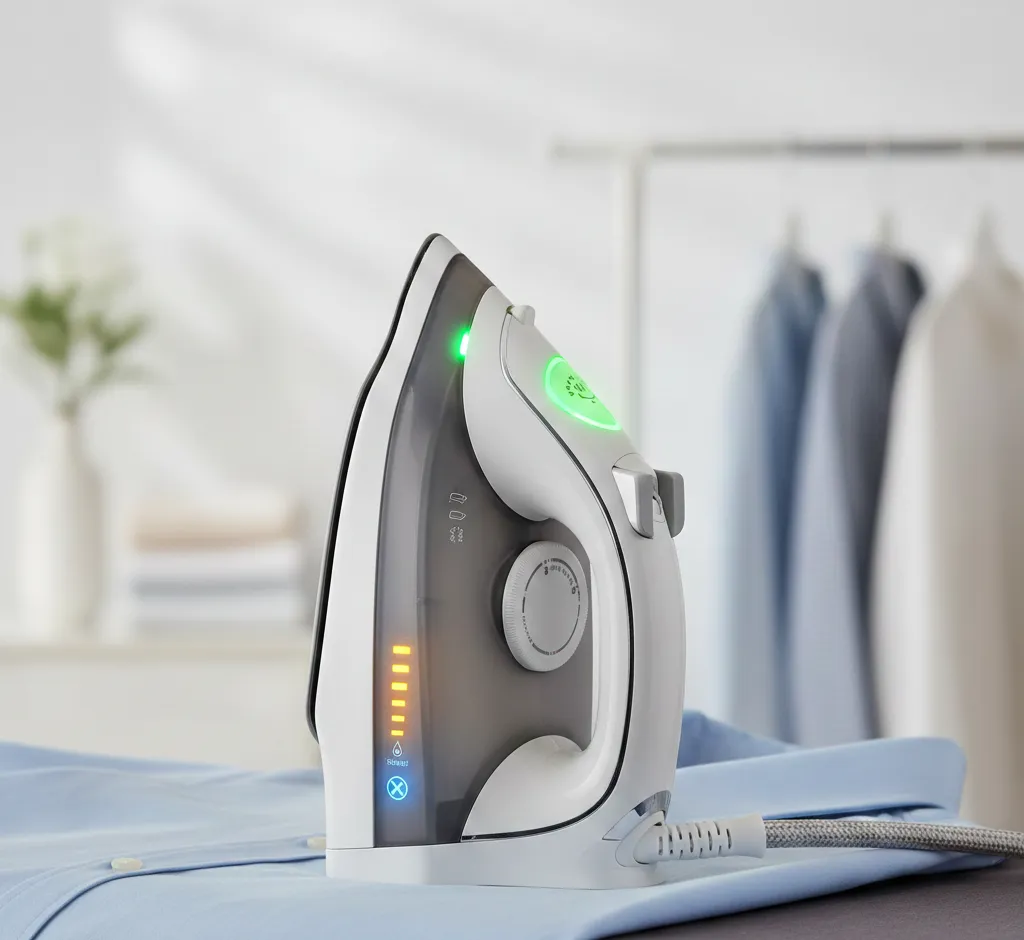
Light indicator steam irons are steam irons equipped with LED or lamp-based indicators that provide real-time visual feedback about the iron’s status. These indicators are usually placed on the handle, near the temperature dial, or on the base of the iron, where they are easy to see while you work.
Instead of guessing whether the iron has reached the right temperature or if the steam function is ready, you get clear signals from lights that change color, blink, or turn on and off. This makes ironing more intuitive and reduces the risk of accidents, such as touching a hot soleplate or scorching delicate fabrics.
Why Visual Feedback Matters When Ironing
Visual feedback is crucial because it turns an invisible process (heating and steam generation) into something you can easily understand at a glance. With traditional irons, you rely on instinct, habit, or touching the fabric lightly to check if the iron is hot enough. Light indicators replace that guesswork with simple, clear signals.
- Less guessing: Lights tell you when the iron is heating, ready, or cooling down.
- More safety: Visual cues help you avoid burns, leaks, and overheating.
- Better fabric care: You can match heat levels to fabrics more confidently.
- Energy awareness: Some indicators show when the iron is in eco or standby mode.
For busy households, beginners, or anyone who irons in a hurry, these small visual cues make a big difference in everyday use.
Main Types of Light Indicators on Steam Irons
Not every light indicator steam iron works the same way. Different models use different visual signals, but most fall into a few common categories.
1. Power and Heating Status Lights
The most basic indicator shows whether the iron is switched on and whether it is heating up or has reached the target temperature.
- Solid light: Indicates that the iron is powered on and usually at the set temperature.
- Blinking light: Often means the iron is heating up or cycling to maintain temperature.
- Color change: Some irons switch color (for example, from red to green) when the desired temperature is reached.
These indicators prevent you from placing the iron on the fabric before it is ready, which can lead to poor results or water stains if steam has not fully built up.
2. Temperature and Fabric Setting Indicators
More advanced steam irons use light indicators to show which temperature or fabric mode is active. Rather than relying only on a dial, you may see illuminated icons or colors corresponding to different materials.
- Blue or low-level lights for synthetics and delicates.
- Medium-level lights for silk, wool, and blends.
- High-level lights for cotton, linen, and heavy fabrics.
With this kind of feedback, you can quickly confirm that you are using the right setting for the garment in your hand, reducing the risk of scorching or flattening delicate textures.
3. Steam Readiness and Steam Mode Lights
Steam performance depends on both temperature and water pressure inside the iron. Light indicators often show when steam is ready, when the burst-of-steam function is available, or when the vertical steam mode is active.
- Steam-ready light: Confirms that continuous steam is available without water spitting or dripping.
- Boost or turbo steam light: Indicates that the high-pressure steam boost can be triggered.
- Vertical steam indicator: Some models show when vertical steaming for hanging garments is ready.
Visual steam indicators help you avoid pressing the steam button too early, which can cause water spots on delicate clothing or uneven results.
4. Water Level and Refill Alerts
Running out of water in the middle of a garment is frustrating and can reduce ironing efficiency. Some light indicator steam irons include water level or refill alerts.
- Low-water light: Turns on when the tank is nearly empty.
- Refill reminder: Some lights may blink to remind you to refill before starting a long ironing session.
These indicators are especially helpful in larger households or for users who iron many garments in one go, such as for work uniforms or school clothes.
5. Safety, Auto Shut-Off, and Standby Indicators
Safety is one of the biggest reasons to choose a light indicator steam iron. Many models combine visual feedback with smart auto shut-off features.
- Auto-off light: Shows that the iron has turned itself off after a period of inactivity.
- Standby or sleep mode light: Indicates a low-power mode when the iron is idle but still plugged in.
- Motion or tilt sensor light: Some irons light up or change color when they detect movement and re-activate from standby.
These lights give peace of mind—especially if you often find yourself wondering whether you turned the iron off after leaving the house.
6. Descaling, Cleaning, and Maintenance Alerts
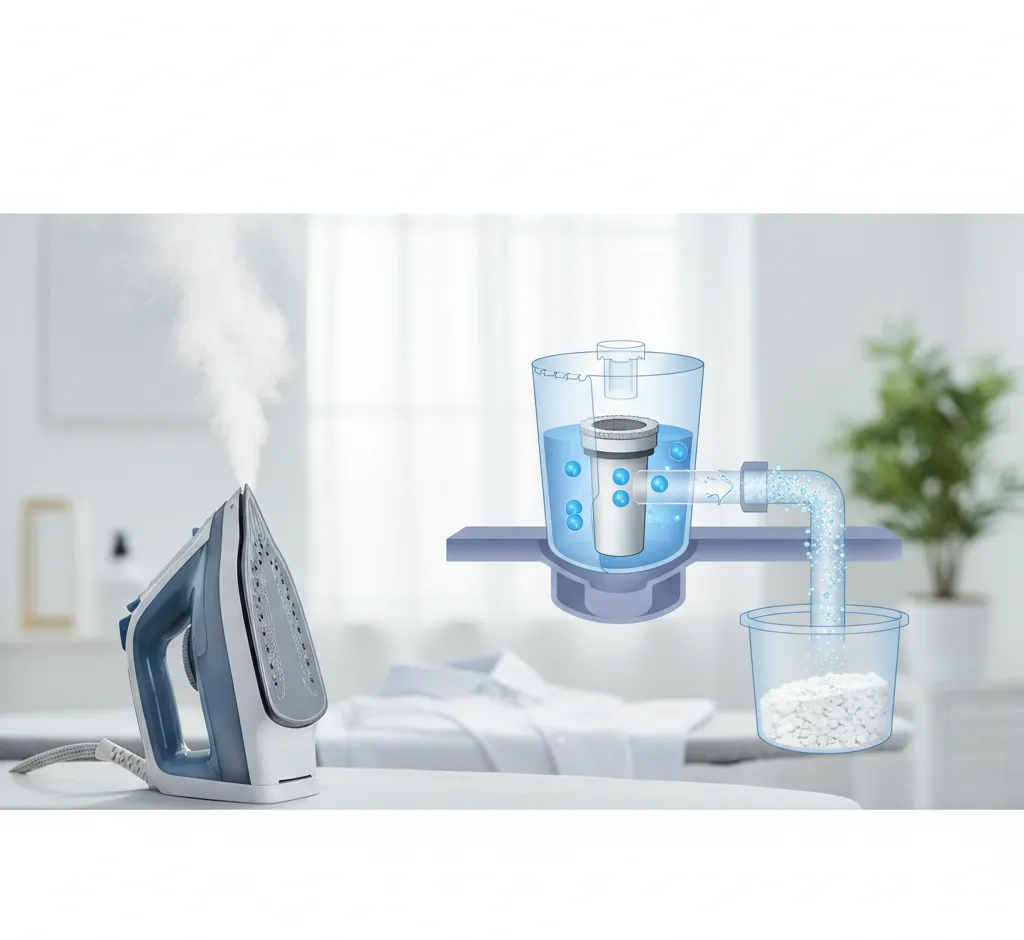
Steam irons build up limescale and mineral deposits over time, especially in hard water areas. Many modern irons use maintenance indicators to remind you when it is time to clean or descale.
- Descale light: Warns you when limescale has reached a certain level.
- Self-clean indicator: Lights up when it is recommended to run a self-clean cycle.
These visual prompts help prolong the life of your appliance, maintain strong steam output, and prevent stains or residue from transferring onto clothes.
Key Benefits of Light Indicator Steam Irons
Beyond convenience, light indicators bring several concrete advantages to your ironing routine.
Improved Safety and Peace of Mind
Safety indicators are often the most appreciated feature for families and busy users. Clear lights showing when the soleplate is hot, when auto shut-off is active, or when the iron is in standby prevent accidents.
- Less risk of burns from touching a hot soleplate.
- Lower chance of fire hazards if you forget to unplug the iron.
- Visual reassurance that safety systems are working correctly.
These features are particularly valuable in homes with children, pets, or shared living spaces where more than one person may handle the iron.
Better Ironing Results With Less Effort
When you know exactly when the iron is ready and which mode is engaged, your results improve naturally. You waste less time re-ironing the same spot or dealing with water drops and uneven heat.
- Optimal temperature: Iron fabrics at precisely the right heat level.
- Consistent steam: Use continuous or burst steam when it is truly ready, not too early.
- Smoother workflow: Move through different garments and fabrics with confidence.
The outcome is crisp, smooth clothing with fewer passes and less manual checking, which is especially helpful when ironing tricky fabrics like linen, silk, or synthetics.
Time Savings for Busy Users
Visual feedback shortens both the setup time and the ironing session itself. Instead of waiting “just in case” or testing the iron on a spare cloth, you simply watch for the right light signal.
- Faster warm-up confirmation means you can start ironing sooner.
- Clear readiness indicators prevent unnecessary waiting or repeated checks.
- Maintenance lights help you schedule cleaning before performance drops.
For anyone ironing in the morning before work or quickly preparing outfits for an event, these time savings add up over the long term.
Extended Appliance Lifespan
Ignoring maintenance or misusing settings can shorten the life of a steam iron. With indicator lights guiding your use and reminding you about descaling and cleaning, you are more likely to keep the iron in top condition.
- You avoid overheating the unit by watching temperature and status lights.
- You respond to descaling alerts before mineral buildup becomes severe.
- You benefit from consistent steam performance for a longer period.
Over several years, these simple prompts can prevent premature breakdowns and save you money on replacements.
How to Use Light Indicators Effectively
To get the most from a light indicator steam iron, it helps to understand how to interpret the signals quickly in real-world situations. The exact behavior will vary by brand and model, but these general habits will help you use the visual feedback correctly.
1. Learn the Indicator Legend
Every iron has its own “light language.” Before your first use, take a moment to read the user manual and note what each color or blinking pattern means.
- Identify which light signals power, heating, and ready status.
- Memorize the colors or icons linked to fabric or temperature levels.
- Check how the iron displays auto-off or standby modes.
A minute of learning at the start saves confusion later and reduces the risk of using the wrong mode on your garments.
2. Wait for the Ready Signal
Resist the urge to start ironing as soon as you switch the device on. Instead, rely on the ready light or color change.
- Set the correct temperature and steam level for your first garment.
- Place the iron safely on its heel or base.
- Watch for the light to indicate that the set temperature is reached.
Only then should you start ironing. This ensures consistent heat and prevents spitting and dripping, which are common when using steam too early.
3. Pay Attention to Maintenance Alerts
When the descale or clean light appears, do not ignore it. Running a quick maintenance cycle at the recommended time will keep your iron functioning like new.
- Use the self-clean feature if available when the indicator lights up.
- Follow the manufacturer’s instructions on descaling solutions or filters.
- Reset or acknowledge the light according to the manual after cleaning.
By responding in a timely way, you avoid stubborn buildup and preserve steam efficiency.
4. Use Visual Feedback to Organize Your Ironing
You can also use the indicators to plan a more efficient ironing workflow.
- Start with lower-temperature fabrics while the iron heats up, guided by the temperature lights.
- Move on to heavier fabrics once the high-temperature indicator is active.
- Use the auto-off and standby lights as reminders to take breaks or finish a session.
This approach helps you avoid constant temperature changes and makes full use of the iron’s smart features.
What to Look For When Buying a Light Indicator Steam Iron
If you are in the market for a new steam iron with visual feedback, some specific features are worth paying attention to. Not all indicator systems are equally clear or useful, so it pays to compare models.
Clarity and Placement of Lights
First, make sure you can see the lights easily while you iron.
- Look for indicators positioned on the handle or upper body, not hidden on the side.
- Check that the lights are bright enough to see in daylight but not blinding in dim light.
- Prefer clear icons or text next to the indicators to avoid confusion.
Good ergonomics and visibility make the visual feedback truly useful rather than decorative.
Number and Type of Indicators
Some users prefer a simple design, while others want more detailed feedback. Think about how much information you want at a glance.
- Basic models may only show power and ready status.
- Mid-range irons add steam, temperature, and auto-off indicators.
- Premium devices include multi-color LEDs, fabric icons, and maintenance alerts.
Choose a balance between simplicity and functionality that fits your experience level and ironing frequency.
Integration With Other Smart Features
Light indicators work best when they are part of a coherent system that includes sensors and automation.
- Motion sensors that trigger lights when you pick up the iron.
- Auto shut-off timers that clearly show when the iron has powered down.
- Eco or low-energy modes with dedicated indicator lights.
If you care about energy efficiency and safety, these integrated features are worth prioritizing.
Ease of Maintenance and Descaling Support
Check whether the iron has easy-to-understand maintenance indicators and cleaning routines.
- Descale or clean lights that appear at reasonable intervals.
- Clear instructions for resetting the light once maintenance is done.
- Compatible filters or cartridges for hard water if needed.
This will help you keep the iron performing at its best with minimal effort.
Who Benefits Most From Light Indicator Steam Irons?
While almost anyone can benefit from visual feedback, some users will find light indicator steam irons especially helpful.
- Beginners and occasional ironers: Lights guide them through correct temperature and steam use.
- Busy professionals: Visual signals save time during rushed morning routines.
- Families with children: Safety lights and auto-off indicators provide extra peace of mind.
- Elderly users: Clear, bright indicators can be easier to interpret than small printed labels.
- People in hard water regions: Maintenance lights make it easier to manage limescale and extend lifespan.
If you recognize yourself in any of these groups, investing in a light indicator steam iron can significantly improve your daily ironing experience.
Future Trends: Smarter, More Connected Visual Feedback
The role of light indicators is likely to grow as steam irons become more connected and intelligent. Some emerging and future trends include:
- Multi-color LED strips that change gradually with temperature or mode changes.
- Context-aware indicators that adapt brightness based on ambient light.
- App-connected irons where indicator status is mirrored on your smartphone.
- Voice or sound integration combined with lights for even clearer status updates.
Even without full smart-home integration, visual feedback will continue to play a central role in making irons safer, more efficient, and easier to understand at a glance.
Conclusion: A Small Feature With Big Impact
Light indicator steam irons transform a simple household appliance into a more intelligent, user-friendly tool. By turning temperature, steam readiness, safety status, and maintenance needs into clear visual signals, they help you iron faster, protect your fabrics, and reduce the risk of accidents.
When shopping for a new steam iron, pay attention not just to wattage and steam output, but also to the quality and clarity of its indicator lights. A well-designed visual feedback system may seem like a small detail, but it can significantly improve your everyday ironing routine and the long-term value you get from your appliance.
Whether you iron daily or only occasionally, choosing a steam iron with thoughtful light indicators is a smart, future-ready decision that combines convenience, performance, and safety in one simple upgrade.