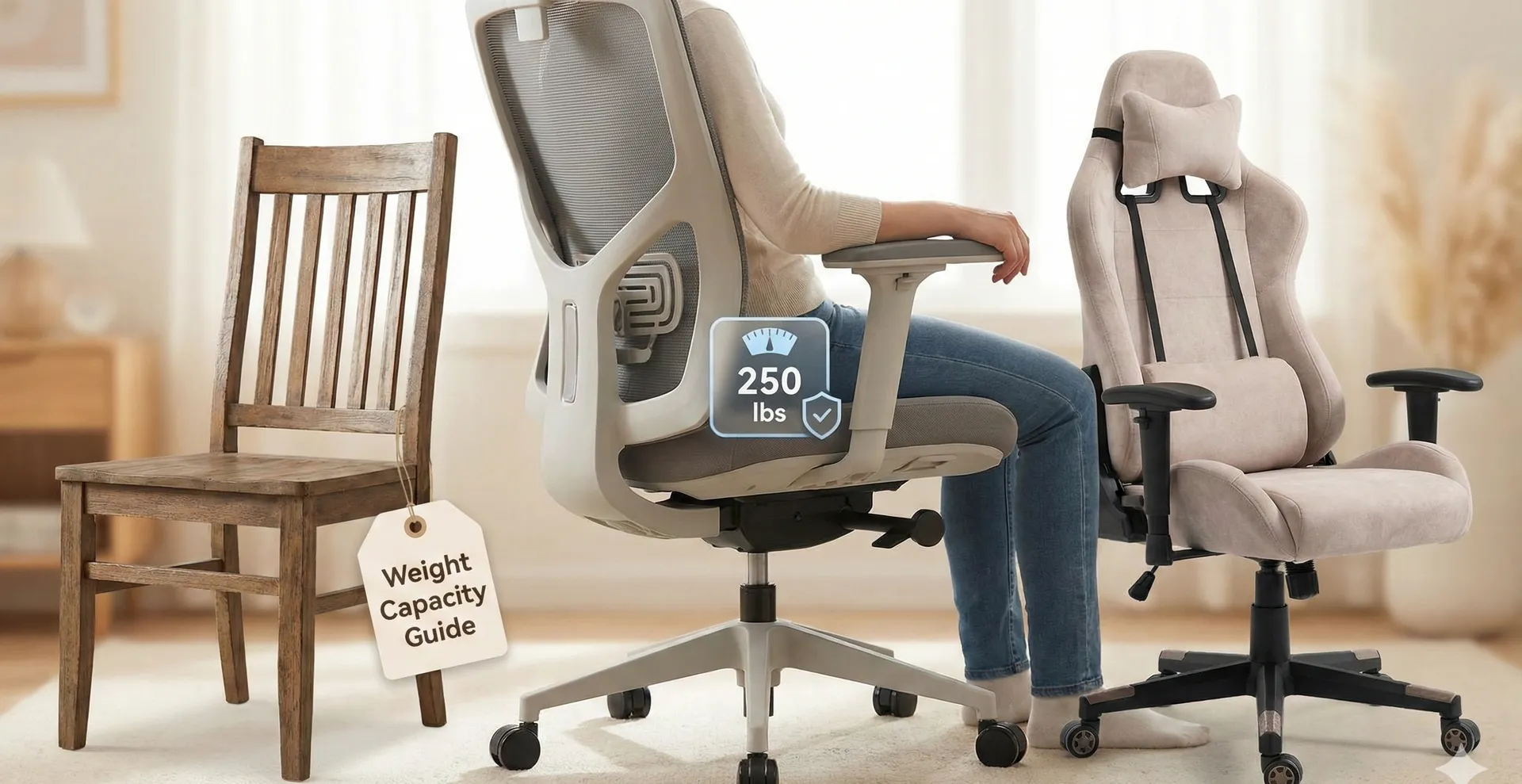
Office Chair Physical Therapy Recommendations: How to Sit Smarter and Hurt Less
Learn physical therapy–based office chair recommendations: key ergonomic features, ideal sitting posture, and simple desk exercises to reduce back, neck, and shoulder pain during work.
Spending long hours in an office chair does not have to mean chronic back, neck, or shoulder pain. Physical therapists consistently emphasize that the right chair, combined with healthy sitting habits and movement breaks, can significantly reduce strain on your spine and joints while you work. [web:9][web:15]
This article brings together common physical therapy recommendations on how to choose an office chair, set it up correctly, and integrate simple exercises into your day so you can work more comfortably and protect your long-term musculoskeletal health. [web:9][web:17]
Why Office Chair Ergonomics Matter
Most desk workers spend thousands of hours each year sitting, and small ergonomic problems in the chair or desk setup can accumulate into chronic pain or repetitive strain injuries over time. [web:15][web:19]
Physical therapy research shows that chair features such as lumbar support and seat pan tilt influence lumbar spine posture and muscle activity, affecting how much load the back and surrounding tissues must tolerate during prolonged sitting. [web:17]
Physical Therapy Priorities for an Office Chair
Physical therapists tend to focus less on brand names and more on whether a chair offers enough adjustability to fit the user’s body and work tasks. [web:9][web:15]
Rather than looking for a “perfect” chair, the goal is to find one that supports a neutral spine, allows frequent posture changes, and works in harmony with your desk, monitor, and keyboard setup. [web:9][web:16]
Key Ergonomic Features to Look For
- Adjustable seat height: Your feet should rest flat on the floor (or on a footrest), with knees at roughly hip height or slightly below to prevent a slouched "C" curve in the spine. [web:9][web:16]
- Adjustable seat depth: The seat pan should support most of your thighs while leaving 2–3 finger widths between the seat edge and the back of your knees to reduce pressure on circulation and nerves. [web:16]
- Backrest with lumbar support: A contoured or adjustable lumbar section should fit into the natural curve of your lower back to help maintain neutral lordosis instead of a rounded posture. [web:9][web:17]
- Recline and tilt: A backrest that reclines slightly and a seat that can tilt help you vary posture, lowering disc pressure and muscle fatigue compared to rigid upright sitting. [web:9][web:17]
- Height-adjustable armrests: Properly set armrests can unload the shoulders and neck by supporting the forearms without lifting the shoulders toward the ears. [web:15][web:16]
- Stable, smooth base: A five-point base with casters matched to the floor type improves stability and makes repositioning easier, which encourages healthy micro-movements. [web:16]
Optional Features Therapists Often Appreciate
- Forward tilt option: A slight forward tilt can help some people maintain a more upright pelvis and decrease pressure behind the knees, especially during task-intensive work like typing. [web:1][web:7]
- Breathable materials: Mesh backs or breathable fabrics can improve comfort in warm environments, reducing the tendency to slump or fidget from heat-related discomfort. [web:12]
- Alternative seating options: Some physical therapists incorporate active seating such as exercise-ball-style chairs or spring-based stools to stimulate core muscles, provided they are used in short, progressive intervals. [web:2][web:5]
Ideal Sitting Posture from a Physical Therapy Perspective
Physical therapists aim for a sitting posture that preserves the natural curves of the spine, distributes weight evenly, and minimizes sustained tension in the neck and shoulders. [web:9][web:17]
This posture is not about holding a rigid position all day but about having a balanced "home base" you can return to between natural posture changes and micro-breaks. [web:9]
Step-by-Step Neutral Sitting Setup
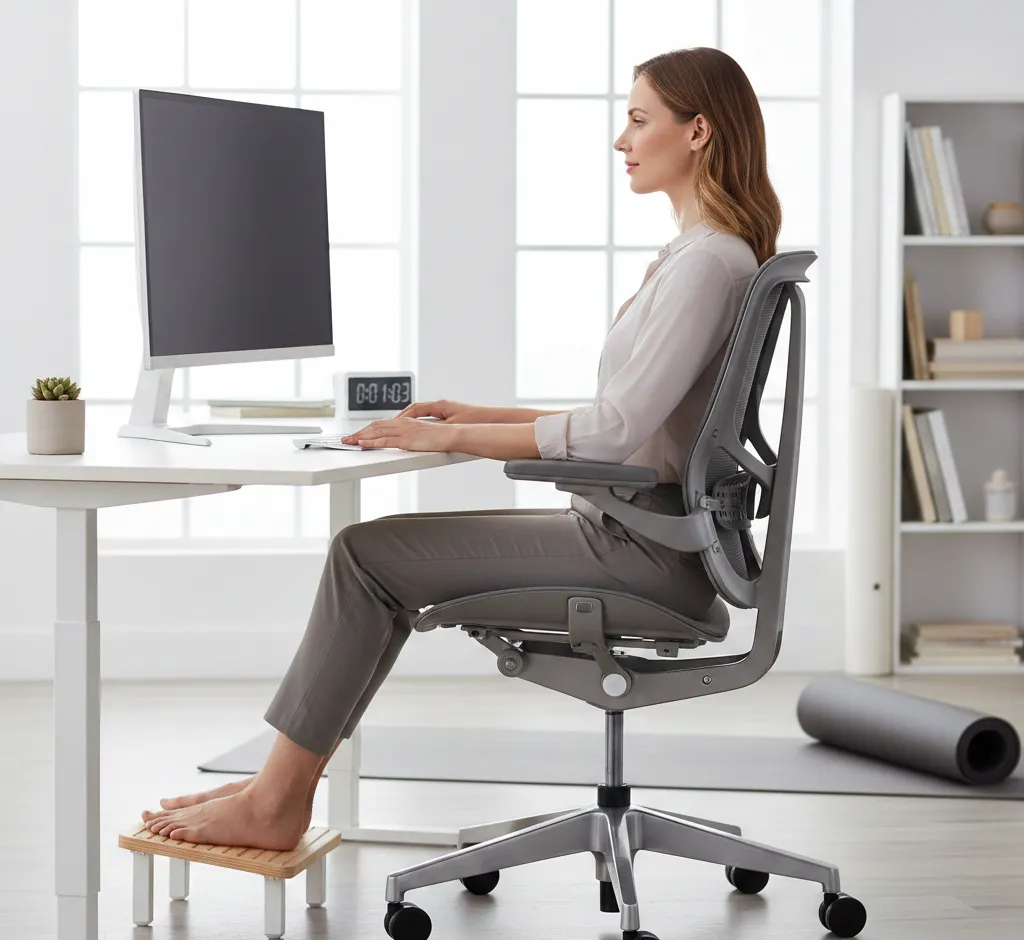
- Start with the feet: Adjust seat height so feet are flat on the floor or on a stable footrest, with ankles roughly under knees and no dangling. [web:16]
- Align the knees and hips: Position knees at about 90–110 degrees, with hips level or slightly higher than knees to avoid excessive pelvic backward tilt. [web:9][web:16]
- Support the pelvis and low back: Sit back so the pelvis contacts the backrest, then adjust the lumbar support to gently fill the curve of your lower back without feeling like it is pushing you forward. [web:9][web:17]
- Open the trunk angle: A slightly reclined backrest (about 100–110 degrees) often reduces disc pressure and lumbar muscle tension compared to strict 90-degree sitting. [web:9][web:17]
- Relax the shoulders: Adjust armrests so your forearms rest lightly with elbows near 90 degrees and shoulders relaxed, not elevated or pulled forward. [web:15][web:16]
- Stack the head over the torso: Position the monitor so the top of the screen is around eye level and about arm’s length away to help keep the head from jutting forward. [web:15][web:19]
How to Adjust Your Office Chair Like a Therapist Would
A practical approach is to adjust your chair from the ground up, then fine-tune the backrest, armrests, and accessories while checking how your body feels in each position. [web:16]
After the initial setup, therapists often recommend small tweaks over several days, paying attention to pain levels, fatigue, and any areas of numbness or pressure. [web:9][web:15]
Backrest and Lumbar Support Tuning
- Height adjustment: Move the lumbar support up or down until it nestles into the inward curve of your lower back rather than pressing into the mid-back or sacrum. [web:16][web:17]
- Depth or firmness: Increase support if you tend to slump, but back it off if it feels like it is pushing you out of the chair or causing muscle tension. [web:17]
- Recline tension: Set the tilt tension so it allows easy rocking and small posture changes while still supporting you when leaning back. [web:9][web:16]
Seat Pan and Armrest Fine-Tuning
- Seat depth: Slide the seat pan until you can sit fully back with your spine supported while still fitting a couple of fingers between the front edge and your calves. [web:16]
- Front edge comfort: If the seat edge presses into the backs of your knees, try reducing depth, lowering the seat slightly, or using a footrest to improve leg angle. [web:16]
- Armrest width and angle: Adjust armrests so elbows rest close to your sides without flaring out or forcing your shoulders into internal rotation while typing or mousing. [web:15]
Office Chairs and Pain: What Physical Therapists See Most
In clinical practice, physical therapists frequently see office workers with low back pain, neck strain, and shoulder or wrist issues linked to prolonged sitting and poor workstation configuration. [web:9][web:15]
Common themes include chairs that are too low, lack of proper lumbar support, armrests set too high or too low, and monitors placed off-center or too far away. [web:9][web:19]
Typical Complaints and Chair-Related Causes
- Low back pain: Often associated with a rounded "C"-shaped sitting posture from insufficient lumbar support or a chair that encourages slumping. [web:9][web:17]
- Neck and upper back tension: Common when the monitor is too low or far, or when armrests are missing or poorly adjusted, forcing the shoulders to support the arms. [web:15][web:19]
- Knee or hip discomfort: May arise from seats that are too high (dangling feet and pressure under thighs) or too deep (compression behind the knees). [web:16]
Movement and Micro-Breaks: Non-Negotiable for Therapists
Physical therapists widely agree that no chair, however well designed, can compensate for uninterrupted sitting; the body is built for movement, not static postures. [web:9][web:19]
Short, regular breaks to stand, walk, and stretch help maintain joint lubrication, circulation, and muscle balance, reducing overall pain and stiffness throughout the workday. [web:9][web:18]
Simple Micro-Break Strategies
- Timed breaks: Stand up or walk for at least 1–2 minutes every 30–45 minutes, even if just around your desk or office. [web:9][web:18]
- Task-linked movement: Use natural pauses, like phone calls or reading, as cues to stand, shift posture, or gently stretch. [web:9]
- Alternate positions: If available, alternate between sitting and standing at a height-adjustable desk to vary loads on your spine and hips. [web:19]
Desk Exercises Recommended by Physical Therapists
Targeted, low-intensity exercises can counteract the muscle imbalances caused by keyboard-heavy work, especially in the hips, upper back, and neck. [web:9][web:18]
Physical therapists typically favor simple movements that are easy to remember, require no equipment, and can be performed in regular clothing without disrupting work. [web:9]
Upper Body Desk Exercises
- Chin nods and gentle retractions: While sitting tall, gently draw your head back as if making a double chin, keeping your gaze level, to ease forward-head posture and neck strain. [web:9][web:18]
- Scapular squeezes: Lightly pinch your shoulder blades together and down for a few seconds, then relax, to activate postural muscles of the upper back. [web:9]
- Pectoral stretches: Place forearms on a doorframe or wall corner and lean forward slightly to stretch the chest muscles that tighten from prolonged forward-shoulder posture. [web:18]
Lower Body and Core-Friendly Movements
- Seated marching: While sitting upright, alternately lift one knee at a time a few centimeters off the floor to engage hip flexors and promote circulation. [web:18]
- Ankle pumps and circles: Move your ankles up and down or in circles under the desk to help reduce lower-leg stiffness and support venous return. [web:18]
- Standing hip extensions or side steps: During breaks, gently move your leg backward or sideways while holding a stable surface to awaken glute muscles that tend to underwork when sitting. [web:18]
Alternative and Active Seating from a PT View
Some physical therapists incorporate active seating options such as exercise-ball chairs, kneeling chairs, or spring-based stools to encourage micro-movements and greater core engagement. [web:2][web:5]
These options are generally recommended as complements—used for limited periods and gradually increased—rather than as all-day replacements for a well-adjusted ergonomic office chair. [web:2][web:5]
Pros and Cons of Active Seating
- Potential benefits: Increased core and postural muscle activation, better awareness of posture, and reduced monotony of static sitting. [web:2][web:5]
- Possible downsides: Faster fatigue or discomfort if used too long, and higher balance demands that may not be appropriate for all individuals or tasks. [web:2]
- Recommended use pattern: Start with short blocks (for example, 20–30 minutes a couple of times per day) and gradually build up while monitoring how your back, hips, and concentration respond. [web:5]
Comparing Chair Features Through a Physical Therapy Lens
Different chair designs distribute pressure and support in distinct ways, so physical therapists often match features to an individual’s history of pain, posture patterns, and job demands. [web:9][web:17]
The table below summarizes how common chair features relate to typical physical therapy goals such as spinal alignment, muscle activation, and comfort during long work sessions. [web:15][web:17]
| Chair Feature | PT-Oriented Benefit | Potential Drawback |
|---|---|---|
| Adjustable lumbar support | Helps maintain natural lumbar curve and reduces slumping. [web:9][web:17] | Too aggressive support can feel intrusive or cause tension. [web:17] |
| Seat depth adjustment | Improves thigh support and lowers pressure behind knees. [web:16] | Incorrectly set depth may still allow slouching or knee compression. [web:16] |
| Recline and tilt mechanisms | Encourages position changes and lowers disc pressure when leaning back. [web:9][web:17] | If tension is too loose, users may feel unstable or unsupported. [web:9] |
| Height-adjustable armrests | Reduces shoulder elevation and neck strain by supporting arms. [web:15][web:16] | Poorly set height or width can promote shrugged shoulders or awkward wrist angles. [web:15] |
| Active seating (ball, spring stool) | Increases core engagement and movement variability. [web:2][web:5] | Can cause fatigue or discomfort if used too long or without guidance. [web:2][web:5] |
| Mesh vs. padded back | Mesh improves breathability; padded backs may feel more cushioned for some users. [web:12] | Padded backs without proper shape can encourage slouching; mesh can feel too firm for sensitive backs. [web:12] |
When to Seek Individual Physical Therapy Advice
While general office chair guidelines help many people, those with persistent pain, previous spine or joint injuries, or neurological conditions benefit from an individualized assessment by a licensed physical therapist. [web:9][web:18]
A therapist can observe how you sit and move, test specific muscle weaknesses or mobility limitations, and then tailor chair adjustments, exercises, and additional supports such as cushions or footrests to your unique needs. [web:9][web:18]
Putting It All Together for a Healthier Workday
Optimizing your office chair through a physical therapy lens means prioritizing adjustability, spinal alignment, and comfort, while remembering that regular movement is just as important as equipment choice. [web:9][web:15]
By combining a supportive chair, thoughtful posture, brief but consistent micro-breaks, and a few targeted exercises, you can transform desk time from a source of pain into a more sustainable, body-friendly part of your routine. [web:9][web:18]